

Search Screen
Use basic or advanced search to filter a list of issues in the Jira Issue Navigator.
Locate the Databricks Export action at the top right of the Issue Navigator screen:

Note: If you cannot find the Databricks Export action icon at the top right of the Issue Navigator screen, you may be using a newer Issue Navigator view. Check for the Databricks item in the Apps dropdown, if present:

Field Selection
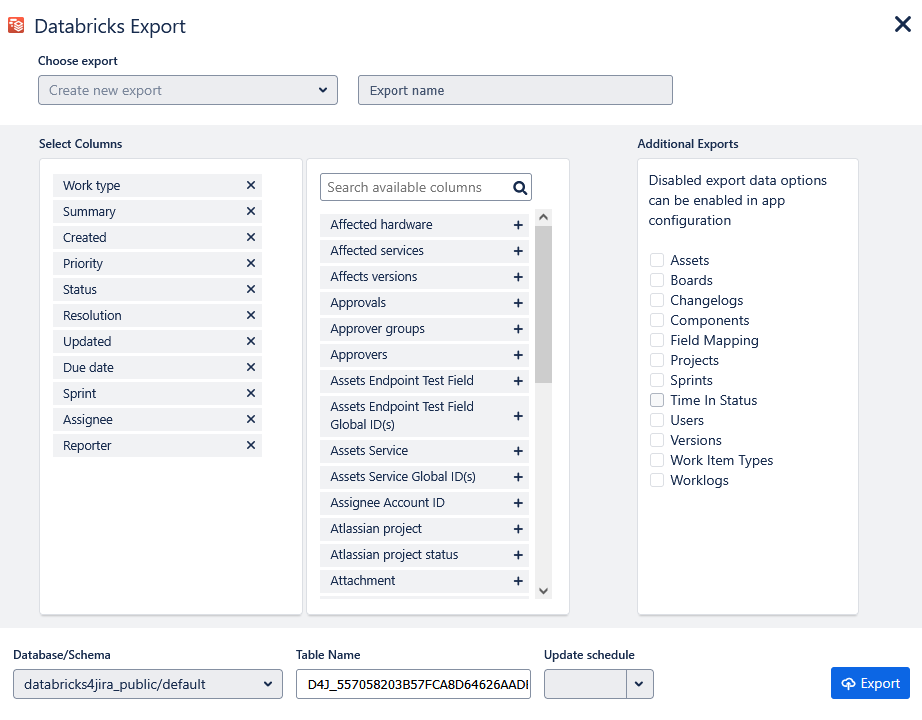
Select the standard and custom fields that you want to export, provide an export name, select an optional update schedule, choose any additional export data you'd like to include, an optional catalog, schema, and export table name, and click the Export button.
Export Complete
When your export is complete, you will be presented with a screen showing the location of your export and linking you to additional information on the Databricks Exports screen.
