

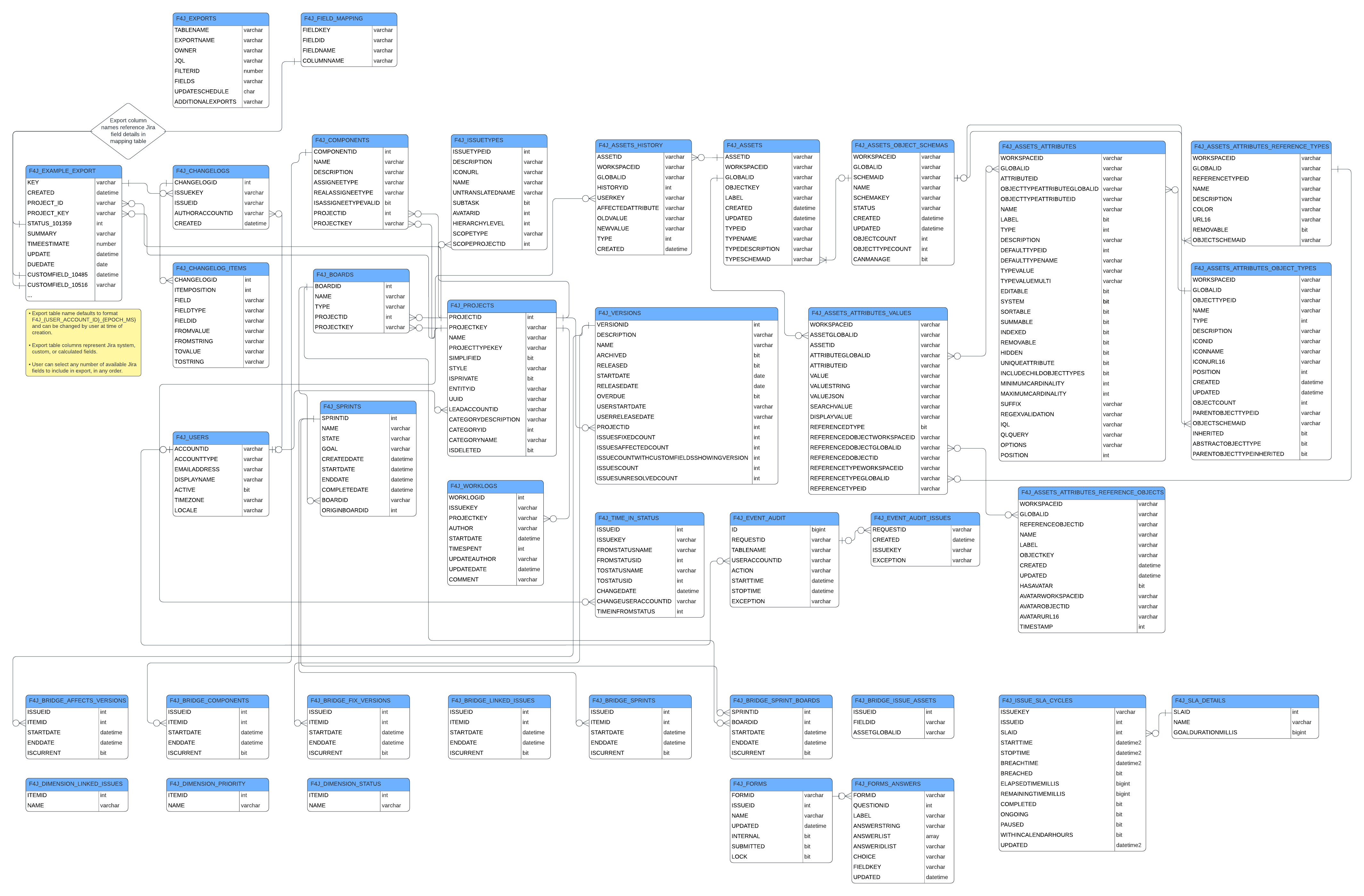
Fabric Integration creates an easy to navigate and query database schema.
Main Export
-
The main work item table columns will depend on what fields were selected during the export.
-
Export main issue table name defaults to format F4J_{USER_ACCOUNT_ID}_{EPOCH_MS} and can be changed by user at time of creation.
-
Export table columns represent Jira system, custom, or calculated fields.
-
User can select any number of available Jira fields to include in export, in any order.
Tempo Capacity Planner
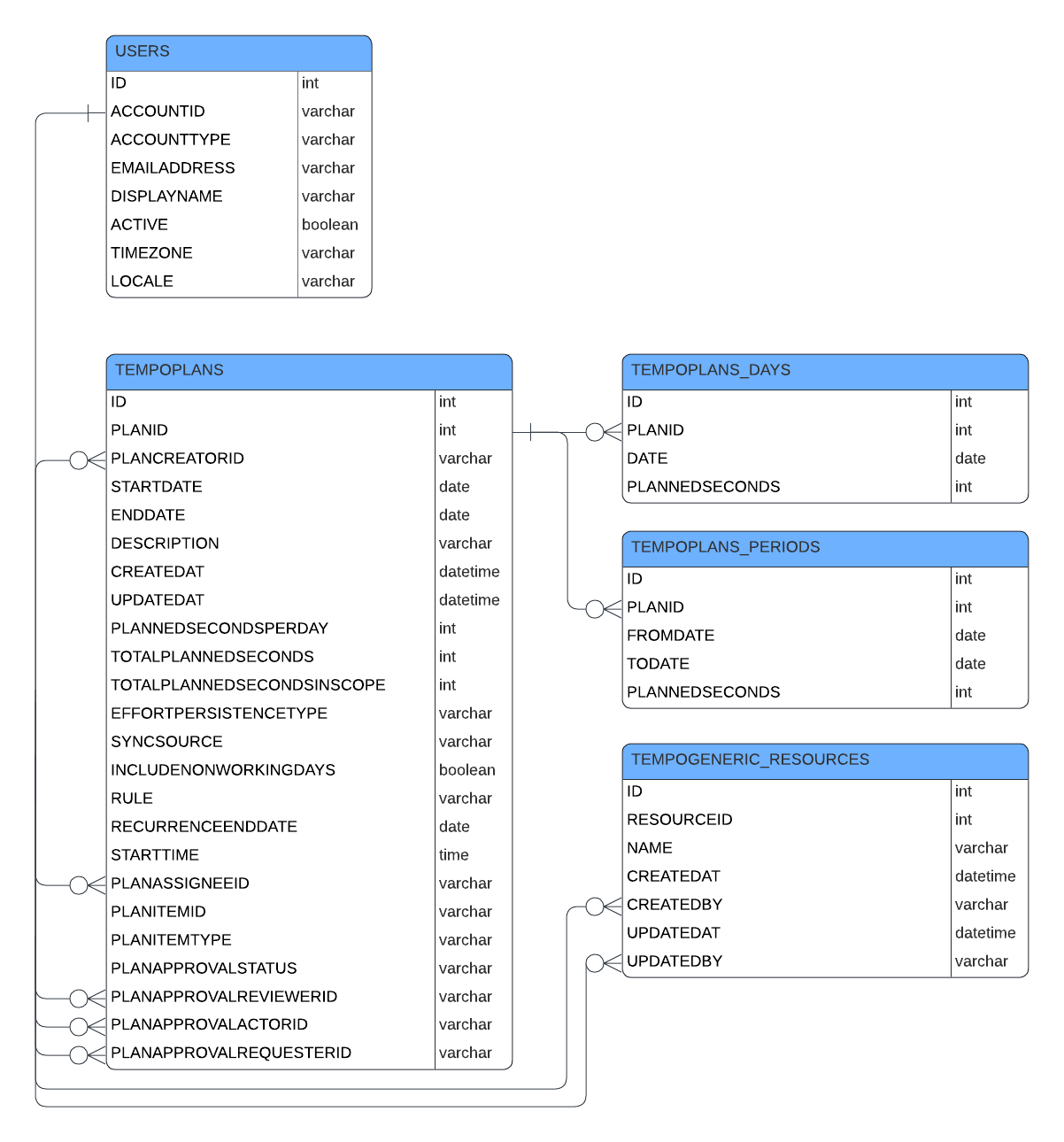
Tempo Capacity Planner data exports will populate a number of other tables, modeled below. Note that some tables pictured may be related to work item data exports.
Tempo Financial Manager
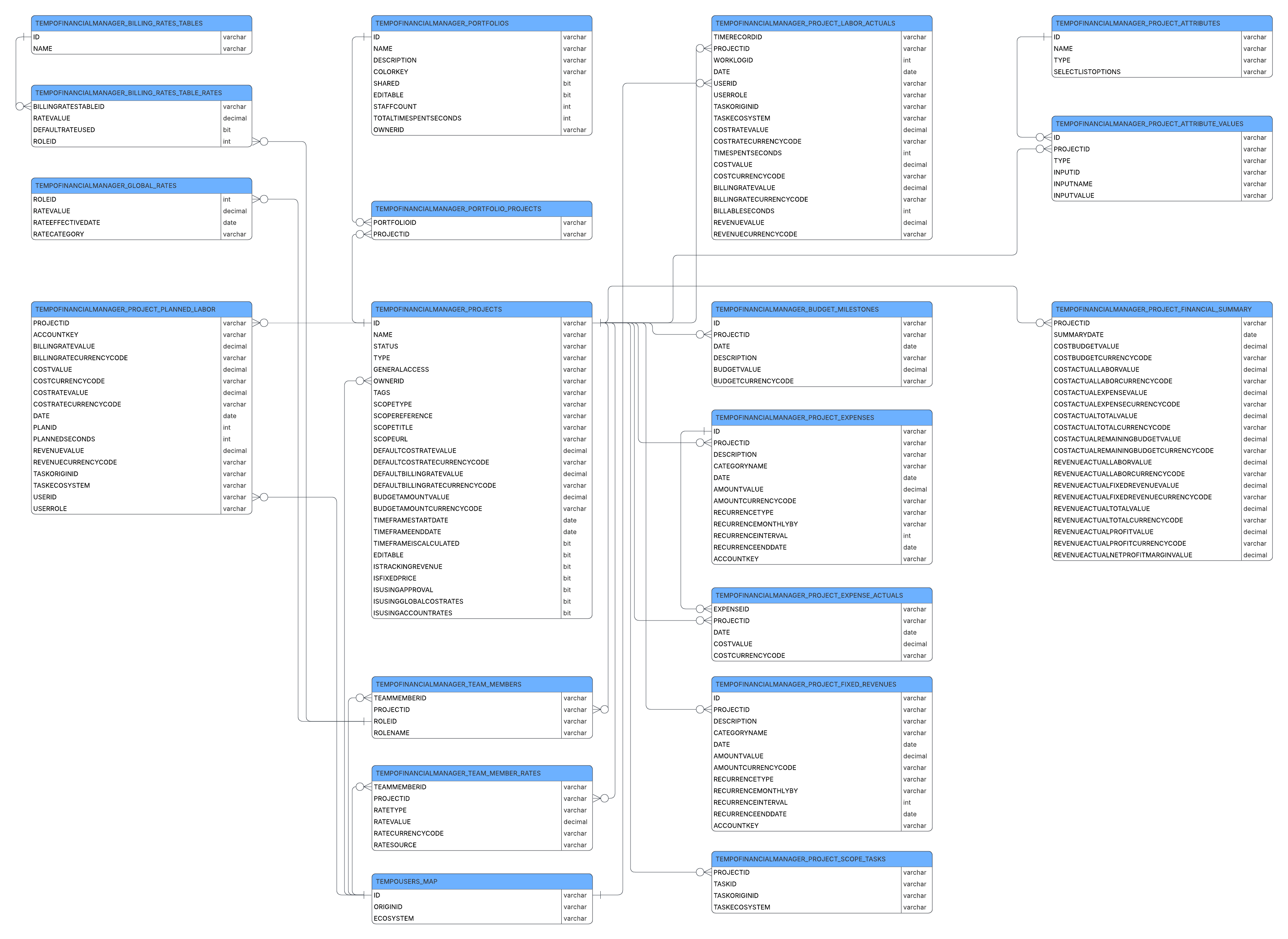
Tempo Financial Manager exports will populate a number of other tables, modeled below. Note that some tables pictured may be related to work item data exports.
Tempo Timesheets
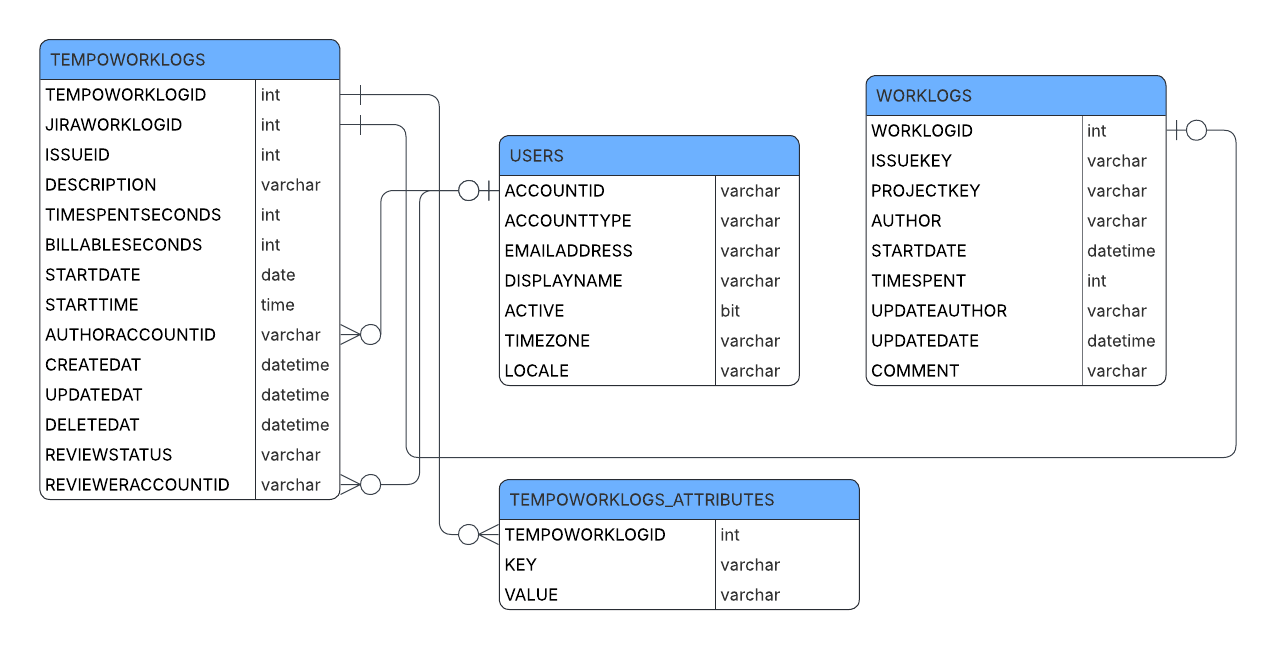
Tempo Timesheets exports will populate a number of other tables, modeled below. Note that some tables pictured may be related to work item data exports.
Xray Test Management
Xray Test Management data exports will populate a number of other tables, modeled below. Note that some tables pictured may be related to work item data exports.
.png?cb=8a315f4b8d250fdcdc25a5f58341d509)